A small desk can still be a comfortable and productive workspace when it is organized well. You do not need a large office, expensive furniture, or a perfect setup to make a small desk work for your daily routine.
The key is to keep only what you use often, create simple storage, and make sure every item has a clear place.
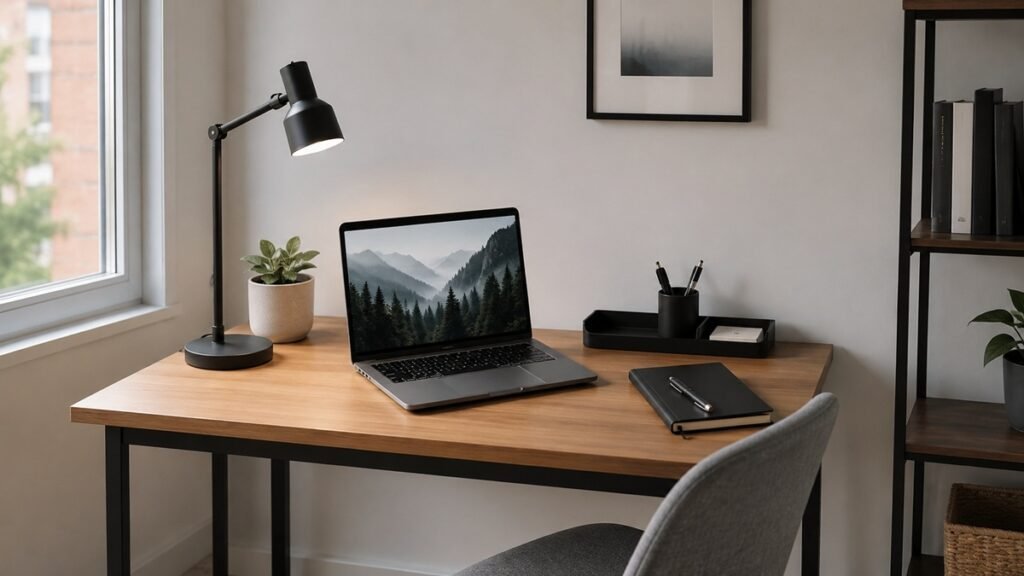
This guide will show you how to organize a small desk without making it feel crowded, messy, or difficult to use.
1. Start by Removing Everything From the Desk
The easiest way to organize a small desk is to start with a blank surface. Remove everything from your desk, including your laptop, notebooks, papers, pens, chargers, decorations, and random small items.
Place everything on the floor, bed, or another table so you can see what you actually have.
Then sort your items into four simple groups:
- Daily use
- Occasional use
- Move somewhere else
- Trash or recycle
Daily-use items are things you need almost every time you sit at your desk. Occasional-use items are useful, but they do not need to stay on the desk surface all day.
This first step helps you see the difference between what belongs on your desk and what is only taking up space.
2. Decide What Your Desk Is Mainly For
A small desk can quickly become crowded when it tries to do too many things at once. Before putting items back, decide what your desk is mainly for.
Your desk may be used for:
- Remote work
- Studying
- Writing
- Video calls
- Planning
- Creative projects
- Personal admin tasks
Once you know the main purpose, it becomes easier to choose what belongs on the desk.
For example, if your desk is mainly for laptop work, you may only need your laptop, charger, notebook, pen, and desk lamp. If it is for studying, you may also need textbooks, sticky notes, and a small supply container.
If you are still setting up your workspace from the beginning, our small home office setup checklist can help you plan the full space around your desk.
3. Keep Only Daily Essentials on the Desk Surface
The top of a small desk should be reserved for items you use every day. If too many things sit on the surface, the desk will feel crowded even if it is technically organized.
Good daily essentials may include:
- Laptop or monitor
- Keyboard and mouse
- Notebook or planner
- One or two pens
- Desk lamp
- Phone stand
- Water bottle
Try not to keep backup supplies on the desk. Extra pens, spare notebooks, old receipts, and random cables should be stored somewhere else.
A simple rule is this: if you do not use it during most work sessions, it probably does not need to stay on your desk.
4. Use Vertical Space Whenever Possible
When your desk surface is small, vertical space becomes very useful. Instead of spreading items across the desk, look for ways to store things upward.
Vertical storage ideas include:
- Wall shelves
- Monitor stands with space underneath
- Desktop file holders
- Stackable trays
- Wall-mounted organizers
- Pegboards
- Small bookends
A monitor stand can be especially helpful because it creates extra space under your screen for a notebook, keyboard, or small tray.
If you rent your home and cannot drill into the wall, use freestanding shelves, adhesive hooks designed for lightweight items, or a desktop organizer that does not require installation.
5. Create a Clear Zone for Working
Every small desk needs a clear working zone. This is the open space where you type, write, read, or place your notebook.
Without a clear zone, you may constantly move items around just to start working. That can make your desk feel frustrating instead of helpful.
Try to keep enough open space for:
- Your hands and keyboard
- A notebook or planner
- A document you are reading
- A cup or water bottle
If your desk feels too full, remove one or two items and see if it becomes easier to use. Small improvements can make a big difference on a small surface.
6. Use a Small Tray for Loose Items
Loose items can make a small desk look messy very quickly. A small tray helps collect these items in one place so they do not spread across the desk.
You can use a tray for:
- Pens
- Sticky notes
- Paper clips
- USB drives
- Earbuds
- Small chargers
- Daily accessories
The tray should be small enough to fit your desk comfortably. If the tray becomes full, that is a sign you may be keeping too many small items nearby.
A tray does not solve clutter by itself, but it makes clutter easier to notice and easier to reset.
7. Add One Simple Desk Organizer
A desk organizer can be useful, but it should not take over your workspace. For a small desk, choose one organizer that matches your needs instead of adding several containers.
Good options include:
- A pen cup
- A small drawer organizer
- A desktop file sorter
- A compact supply caddy
- A monitor stand with storage
- A small basket for daily items
Before buying an organizer, pay attention to what is actually causing the mess. If paper is the problem, use a file tray. If pens and tools are the problem, use a small supply cup. If cables are the problem, focus on cable management first.
The best organizer is the one that solves a real problem without adding more visual clutter.
8. Control Paper Before It Piles Up
Paper clutter can quickly take over a small desk. Even a few loose pages can make the space feel crowded.
Create a simple paper system with three categories:
- To do
- To file
- To recycle
You can use a small file tray, folder, or document holder for this system. The important part is to avoid letting random papers sit on the desk without a decision.
At the end of each week, review your papers and either act on them, file them, or remove them.
For a larger system, you can use our guide on how to organize important documents at home.
9. Keep Cables Neat and Easy to Reach
Cables can make even a clean desk look messy. Laptop chargers, phone chargers, monitor cables, lamp cords, and headphone wires can quickly become tangled if they are not managed.
Start by removing cables you do not use. Then group the cables you need and guide them toward the back or side of the desk.
Simple cable organization ideas include:
- Use cable clips to hold chargers in place
- Use cable ties to shorten long cords
- Place the power strip behind or under the desk
- Label cables that look similar
- Keep your most-used charger easy to reach
Do not make your cable setup so complicated that it becomes hard to adjust. A simple and flexible system is usually better for everyday use.
If cables are your biggest problem, follow our cable management ideas for home office for a cleaner setup.
10. Use Drawer Space Carefully
If your small desk has drawers, use them carefully. Drawers can hide clutter, but they can also become messy very quickly.
Use drawer space for items you need nearby but not on the desk surface.
Good drawer items include:
- Extra pens
- Sticky notes
- Charging cables
- Small office supplies
- Notebooks
- Important papers you use often
Use small containers or dividers inside the drawer so items do not slide around. You can also use small boxes, repurposed containers, or simple drawer trays.
Try not to use desk drawers for random storage. If you do not know what is inside the drawer, it probably needs a quick reset.
11. Move Rarely Used Items Away From the Desk
Not everything related to work needs to stay at your desk. Some items are useful, but they do not need to be within arm’s reach every day.
Move rarely used items to a nearby shelf, cabinet, closet, or storage box.
These may include:
- Extra notebooks
- Backup office supplies
- Old project files
- Printer paper
- Instruction manuals
- Extra cables
- Seasonal paperwork
This helps your desk stay focused on current work instead of becoming a storage area for everything.
If you live in a small apartment, the goal is not to create more storage everywhere. The goal is to keep the most important items in the most useful places.
12. Limit Decorations
Decorations can make a small desk feel pleasant, but too many decorations can make it feel crowded. Choose one or two items that make the space feel calm without taking up too much room.
Good small desk decorations include:
- A small plant
- A simple photo frame
- A small lamp
- A desk mat
- A simple calendar
- A small clock
Avoid decorations that block your working zone or make it harder to clean the desk.
If an item makes your desk feel better and does not get in the way, keep it. If it only adds clutter, move it somewhere else.
13. Organize Your Digital Workspace Too
A small desk can look clean while your computer still feels messy. Your digital workspace is part of your desk setup, especially if you work mainly from a laptop or monitor.
Simple digital organization steps include:
- Clean up your computer desktop
- Move files into folders
- Delete old screenshots
- Organize your Downloads folder
- Close unused browser tabs
- Keep only useful shortcuts visible
A cleaner digital workspace can make your small desk feel more organized because you are not switching from physical clutter to digital clutter.
You can start with our digital declutter checklist for beginners if your files, inbox, and desktop need a reset.
14. Create a Daily Desk Reset Habit
A small desk needs regular maintenance because clutter becomes noticeable quickly. A daily reset can take only a few minutes, but it helps your desk stay usable.
At the end of your work session, try this simple reset:
- Throw away trash
- Put pens back in their place
- Move papers to the right folder or tray
- Return cups or dishes to the kitchen
- Plug in devices if needed
- Clear the main working zone
This routine does not need to be perfect. The goal is to make your desk ready for the next time you sit down.
A small daily reset is easier than a big cleanup once the desk becomes overwhelming.
15. Small Desk Organization Checklist
Use this checklist when organizing or resetting your small desk.
Desk Surface
- Remove everything from the desk
- Keep only daily essentials
- Create a clear working zone
- Use a small tray for loose items
- Limit decorations
Storage
- Add one simple desk organizer
- Use drawer dividers if needed
- Move backup supplies away from the desk
- Store rarely used items elsewhere
- Use vertical space when possible
Paper
- Create a to-do paper area
- Create a file area
- Recycle papers you no longer need
- Review papers weekly
- Avoid paper piles on the desk surface
Cables
- Remove unused cables
- Group active cables together
- Use cable clips or ties
- Keep chargers easy to reach
- Place power strips safely
Digital Workspace
- Clean up your computer desktop
- Organize your Downloads folder
- Delete unnecessary screenshots
- Close unused tabs
- Keep important files easy to find
Daily Reset
- Clear trash
- Put supplies back
- Move papers to the right place
- Clear the main work area
- Prepare the desk for the next session
Common Small Desk Organization Mistakes
Organizing a small desk is simple, but a few common mistakes can make the space feel crowded again.
Keeping too many supplies nearby
You may need office supplies, but you probably do not need all of them on the desk. Keep daily supplies close and store extras somewhere else.
Buying organizers before decluttering
Organizers are more useful after you remove what you do not need. If you buy organizers too early, you may only organize clutter instead of reducing it.
Using the desk as permanent storage
Your desk should support your current work. It should not become a storage area for old papers, extra cables, and random items.
Ignoring cable clutter
Cables can make a small desk look messy even when the surface is mostly clean. Keep cords grouped, guided, and easy to access.
Making the setup too decorative
A few personal touches are fine, but too many decorations can reduce your working space.
Forgetting to reset the desk
Even a well-organized desk needs regular maintenance. A short daily reset can prevent bigger messes later.
Final Thoughts
You do not need a large desk to create a useful workspace. A small desk can work very well when the surface is clear, the storage is simple, and your daily essentials are easy to reach.
Start by removing everything, choosing what you truly need, and creating a clear working zone. Then use simple storage, manage cables, control paper, and reset the desk regularly.
The best small desk setup is not the one with the most accessories. It is the one that helps you sit down, focus, and work with less clutter.